Paper notes are not searchable
A useful definition, decision, or quotation can be buried across several notebooks with no quick way to find it again.
Upload a photo, scan, or PDF of handwritten notes and turn it into editable digital text. Use it for study pages, meeting notes, research notebooks, journals, and everyday writing.
Paper is quick for capturing ideas, but less useful when you need to find, organize, or share them. Digitizing creates a working copy while the original page remains your visual reference.
A useful definition, decision, or quotation can be buried across several notebooks with no quick way to find it again.
Manually copying every line slows down study, meeting follow-up, and research—especially when a notebook contains many pages.
Arrows, indentation, highlights, diagrams, and shorthand add context that plain text may not fully preserve and should be checked during review.
Move ideas from paper into searchable text without typing every page again.

Take a clear photo of a notebook page and convert the visible handwriting without needing a scanner.

Process connected cursive, print handwriting, or pages that mix several writing styles.

Upload a PDF when your lecture, meeting, or research notes span more than one page.
Review the transcription, then copy it or export it as TXT, Markdown, Word, or Excel.
Different notes need different kinds of review. Convert the writing first, then organize the result around the way you plan to use it.
Turn class notebooks, study guides, and revision pages into editable text. Bring related ideas together, search for key terms, and reshape rough notes into an outline or study draft.

Extract decisions, owners, deadlines, and follow-up points from handwritten meeting pages. Review names and dates, then move the cleaned text into a shared document or project workflow.

Digitize field observations, interview notes, experiment logs, and source notes so they can be searched and grouped by topic. Verify technical terms, quantities, and references against the image.

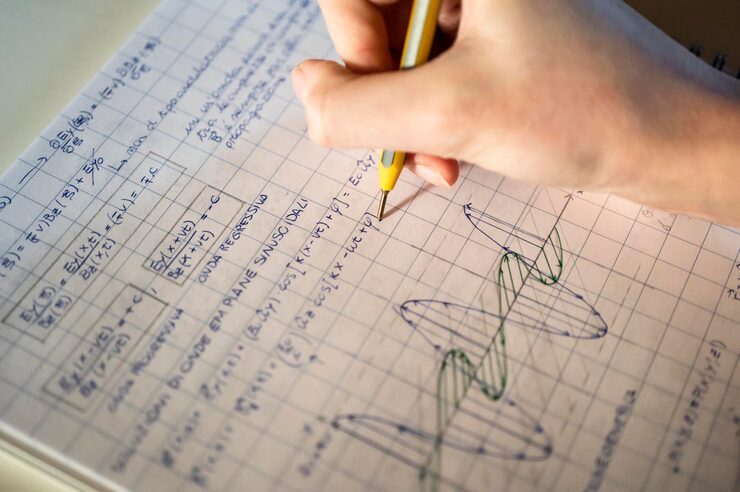
Create a text draft from pages that combine sentences with equations or symbols. The surrounding writing can be reused quickly, while formulas, units, and spatial notation receive a careful manual check.
Turn notebook pages into digital text in three steps.
Add a phone photo, image, scan, or PDF containing the handwritten pages you want to digitize.
The handwriting reader processes each page and creates an editable transcription.
Check important terms, make any corrections, then copy, search, organize, or export the text.
Useful anywhere ideas begin on paper but need to become searchable, editable, or shareable.
Digitize handwritten class pages so they are easier to search, summarize, and review before an exam.
Convert action items, decisions, and rough meeting pages into text that can be shared with a team.
Make interview notes, observations, and field notes searchable without manually retyping them.
Create a readable digital copy of personal entries while keeping the original handwritten pages.
Move rough ideas and planning notes into a document where they can be edited and organized.
Turn handwritten records, task lists, and daily notes into reusable digital text.
The result is an editable first draft, not a replacement for the source page. A short check keeps important details and visual context intact.
Common questions about converting handwritten notes to text.
Upload a notebook page, photo, scan, or PDF and start editing the transcription in seconds.