
Built for Cursive Script
Reads connected letters, looping strokes and joined words from personal notes, vintage letters and handwritten journals.
Use the cursive translator with a phone photo, scanned image, screenshot, or PDF. It turns connected cursive writing into readable text you can review, copy, and export.
Our cursive translator turns loopy, connected script from photos, scans or PDFs into clear, editable digital text you can actually use
Reads connected letters, looping strokes and joined words from personal notes, vintage letters and handwritten journals.

Works with phone snaps, scanned pages, screenshots and handwritten PDFs all in one place.
Converts hard-to-decipher cursive into typed text that's easy to review, copy, edit and save.
Copy results directly or download as TXT, Markdown, Word or Excel to fit your workflow.
From faded family letters to scribbled personal notes, this cursive translator turns messy, hard-to-decipher cursive into clear digital text you can copy, save and actually understand.
Turn faded, loopy handwritten family letters into clear digital text. Even when the script is hard to follow, this tool helps you preserve personal stories and family history without guessing every word.
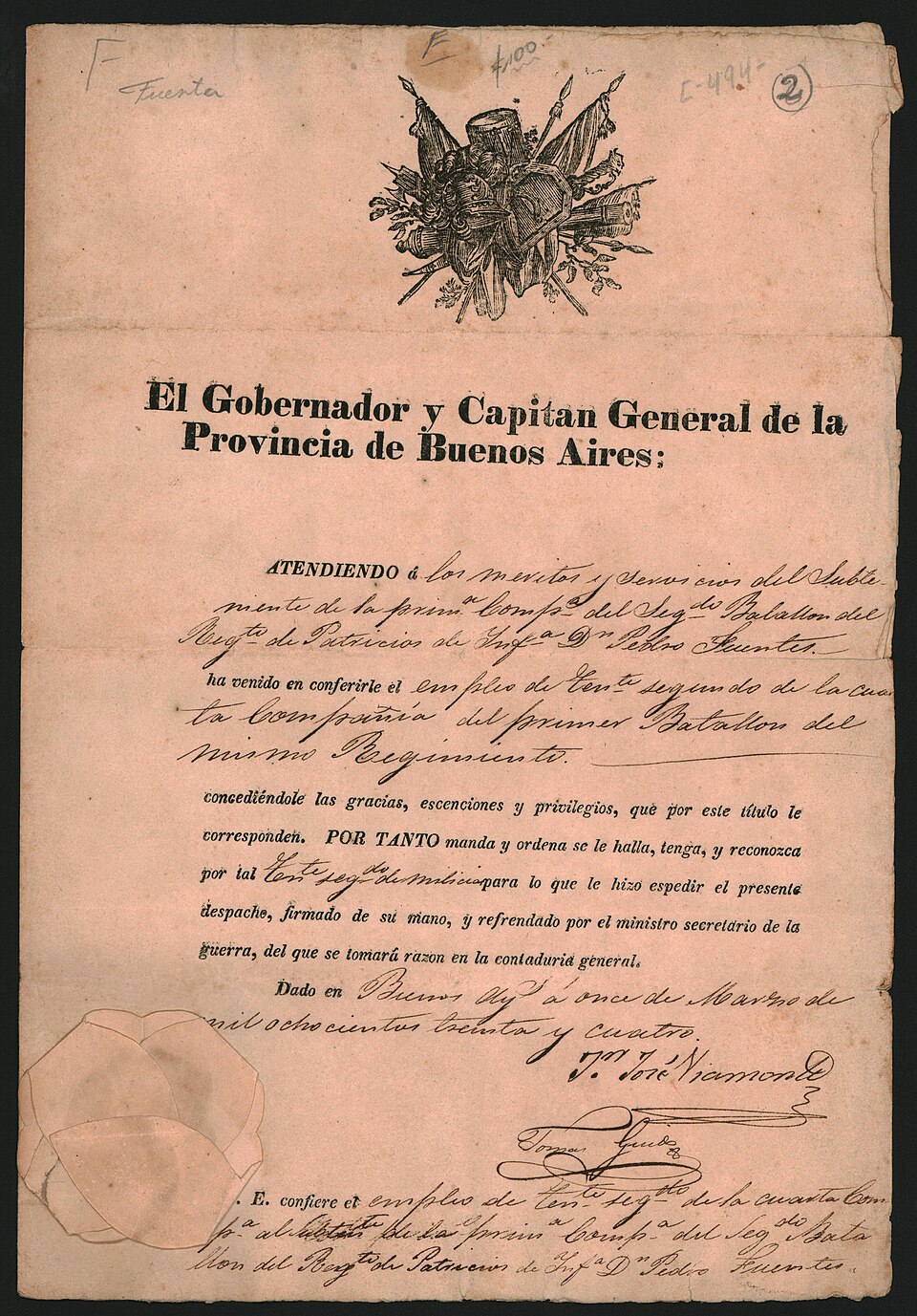
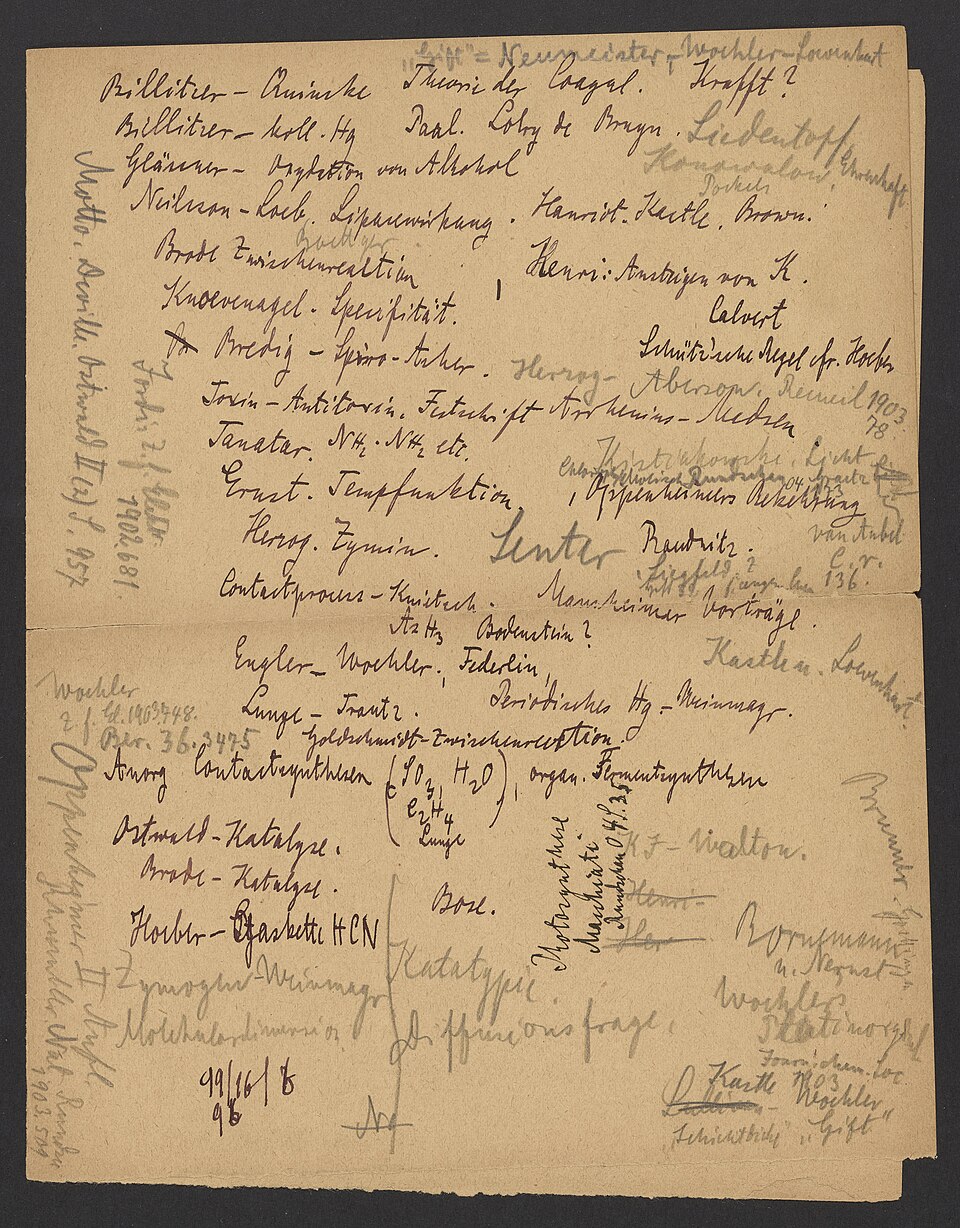
Turn cursive in scanned records, diaries and archive legalese into readable text. Ideal for researchers, genealogists and local history buffs working with faded, century-old handwritten materials.
Turn messy lecture notes, study scribbles and brainstorming scrawls into clean, searchable text. No more squinting at your own hurried cursive or transcribing pages by hand—get your notes organized and editable in seconds
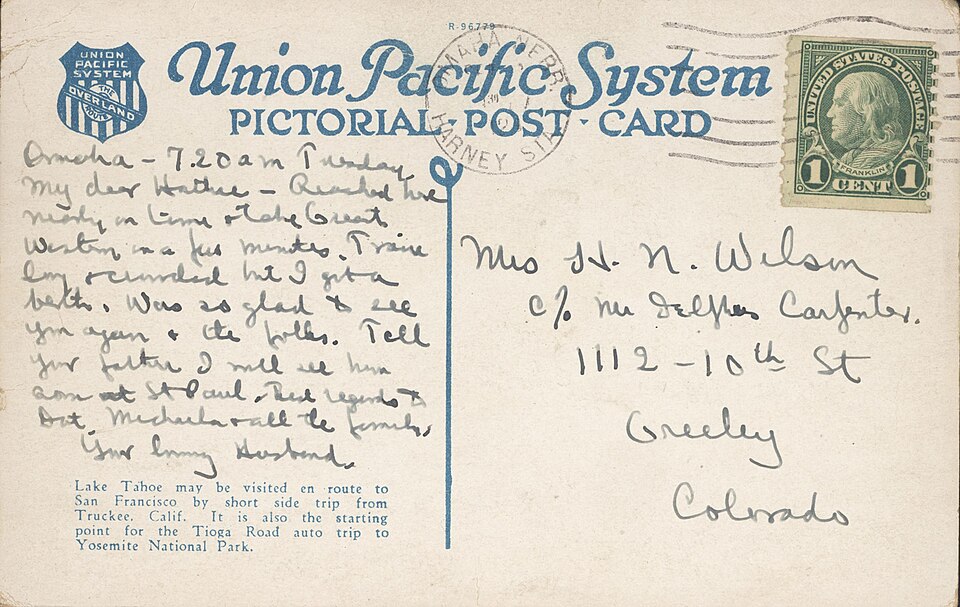
Transform loopy handwriting on antique travel postcards into clean, editable text. Save the stories behind your collection without spending hours typing out every handwritten line.
Get started with our cursive translator in three simple steps.
Add a photo, scan, screenshot or PDF of handwritten cursive.
Our translator deciphers connected strokes and translates messy script into clean digital text.
Review the results, make quick edits, then copy or save as TXT, Markdown, Word or Excel.
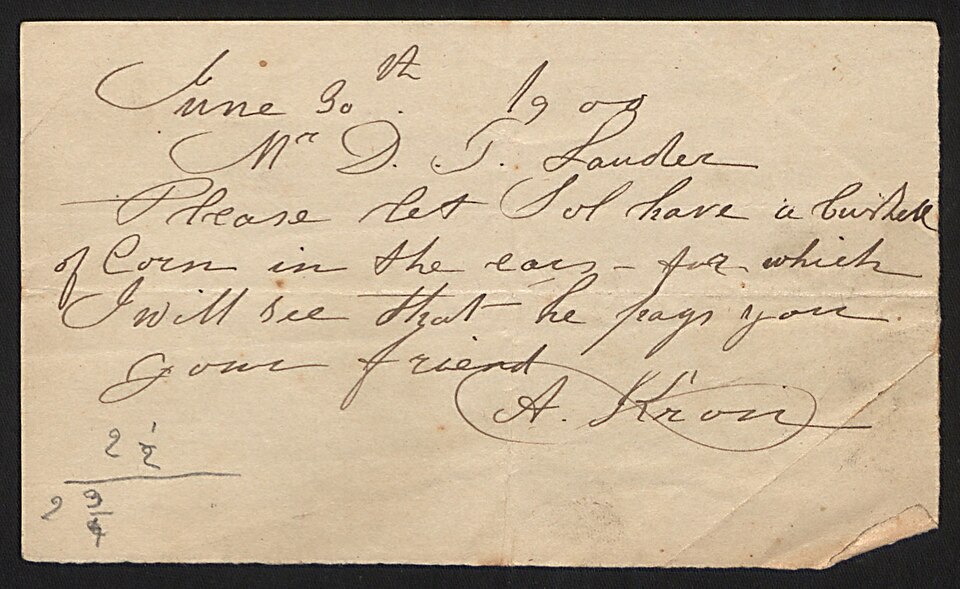
Compare the original handwritten sample with our AI-generated text to see how we turn even hard-to-read cursive into clear, usable content.
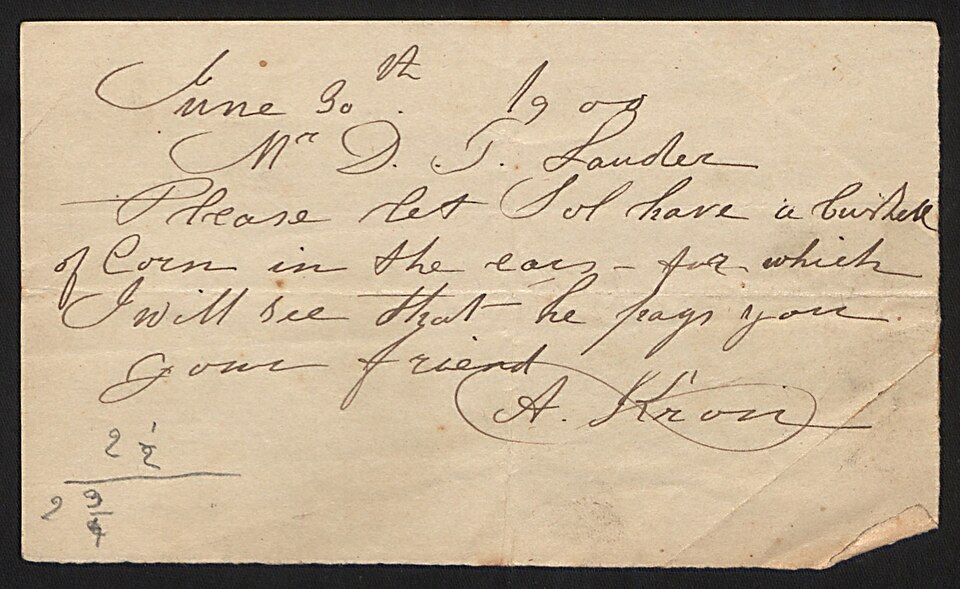
June 30th 1909
Mr D. T. Lauder
Please let Sol have a bushel
of corn in the ear - for which
I will see that he pays you.
Your friend
A. Kron
2 1/2
2 3/4
Turn meaningful handwritten materials, from personal keepsakes to historical papers, into usable digital text.
Work through faded, connected handwritten letters from loved ones without struggling to decode every word.
Pull clear text from cursive diary pages and private entries, then save or revisit those memories anytime.
Sort through old certificates, manuscripts and archive scans to extract readable text for research or preservation work.
“I had a box of my grandma's old letters I could barely read. This tool turned them into text I could understand and share with my family.”
“I use it to transcribe 19th-century archive documents. It saves me so much time compared to typing everything out by hand.”
“My professor writes all lectures in cursive on the whiteboard. I snap a photo and get clean typed notes in seconds”
Upload your first file now to turn looping handwriting into clear, editable text in seconds.